| cogs | ||
| data/phixxy.com | ||
| examples | ||
| src | ||
| .gitignore | ||
| README.md | ||
| requirements.txt | ||
| sparkytron3000.py | ||

Sparkytron 3000 - Discord Bot Documentation
Sparkytron 3000 is a versatile Discord bot that allows you to customize its functionality by enabling or disabling various cogs. Each cog represents a specific feature, such as AI art generation, AI chat, meme maker, and more. This documentation will guide you through the installation process and provide an overview of the available cogs.
Table of Contents
Installation
-
Clone the Sparkytron 3000 repository from GitHub:
git clone https://github.com/phixxy/sparkytron-3000.git -
Navigate to the project directory:
cd sparkytron-3000 -
Install the required Python packages using the provided
requirements.txtfile:pip install -r requirements.txt
Getting Started
To get started with Sparkytron 3000, follow the steps below:
-
Ensure you have completed the installation steps.
-
Open
sparkytron3000.pyin your preferred Python IDE or text editor. -
Look for the following line of code and enter your Discord bot token:
DISCORD_TOKEN = "<YOUR_BOT_TOKEN>" -
Save the changes to
sparkytron3000.pyand exit your editor. -
Run the bot using the following command:
python sparkytron3000.py -
Sparkytron 3000 is now active on your Discord server!
Cogs
Sparkytron 3000 provides several cogs that can be enabled or disabled based on your preferences. Each cog adds a unique feature to the bot. Many cogs assume you have variables set in environment variables. Below are some notable cogs:
Stable Diffusion
- Description: Generates AI-generated art using stable diffusion/automatic1111.
- Usage:
!imagine <kwargs> <prompt> - Example:
!image seed=1 pizza 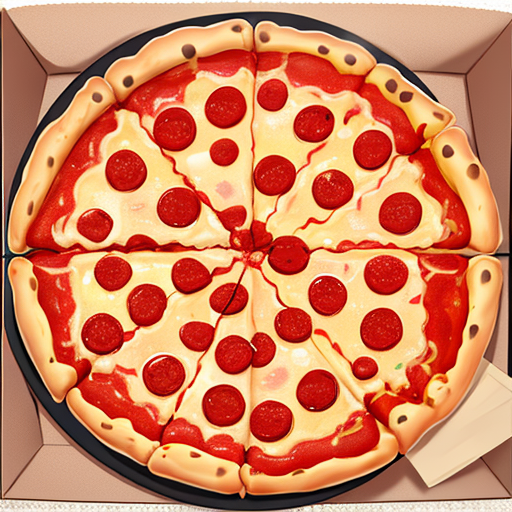
ChatGPT
- Description: Implements ChatGPT to generate chat responses and Dalle for AI-generated art.
- Usage:
!chat enableto enable the bot to chat in a channel. - Usage:
!dalle2 <prompt>or!dalle3 <prompt>to generate an image using Dalle. - Example:
!dalle3 cute grim reaper profile pic 
Meme Maker
- Description: Enables meme generation using the Imgflip API.
- Usage:
!meme <topic>generates a random meme using ChatGPT and Imgflip. - Example:
!meme pizza 
License
This project is licensed under the MIT License. See the LICENSE file for more details.